BasketValidationContext Class
The BasketValidationContext class provides contextual information for basket validation extension. It encapsulates all the necessary data that might be needed during the validation process, including user information and the basket itself.
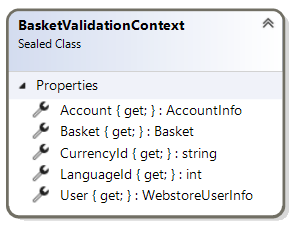
Properties
LanguageId
public int LanguageId { get; }
The LCID (Language Code Identifier) of the language used by the user. This can be used for localizing validation messages.
CurrencyId
public string CurrencyId { get; }
The identifier of the currency being used for the basket. This is useful when performing price-based validations.
User
public WebstoreUserInfo User { get; }
Information about the current user browsing the web store. This can be used to implement user-specific validation rules.
Account
public AccountInfo Account { get; }
Information about the current ERP account which is used to communicate with the ERP system. This can be used for account-specific validation rules.
Basket
public Basket Basket { get; }
The model of the current user's shopping basket to validate.
See Basket reference for detailed information about available properties.
Example Usage
Here's an example of using the BasketValidationContext in a validation rule:
public class CustomerSpecificValidator : BasketValidationExtension
{
    public override ApplicableCheckoutProcesses AppliesTo =>
        ApplicableCheckoutProcesses.Order;

    public override Task<BasketValidationResult> ValidateAsync(BasketValidationContext context)
    {
        // Access user information
        var userId = context.User.Id;

        // Access basket information
        var totalAmount = context.Basket.TotalPrice;

        // Access currency information
        var currency = context.CurrencyId;

        // Perform validation based on context
        if (context.Account.Type == AccountType.Customer && totalAmount > 1000)
        {
            return Task.FromResult(BasketValidationResult.Failed(
                $"Customer accounts cannot place orders over 1000 {currency}. User ID: {userId}."));
        }

        return Task.FromResult(BasketValidationResult.Succeeded());
    }
}